Latest Post

Showing posts with label Android. Show all posts

Walkman Player with Beat Audio in Xperia Arc S ICS 4.0.4

Posted by ~ Erch ~ on Sunday, April 7, 2013 | 22:33

Now I will explain step by step how to porting Walkman Player On Xperia S. As i promised in my previous post in how to root xperia arc s with locked bootloader. The Excess modding the Walkman player certainly adds to the sound quality (sound quality). With the technology buried Sony Clear Bass and Clear Stereo as in previous Series Walkman produces a thunderous sound and thumping bass detail and clarity of voice. Yet the Beat Audio buried, add cool display icon launcher and Sound Quality (SQ). Especially if it is supported by the IEM or headphones nice, hmmmmm .... feel yourself virulence. Android is good


Read First
  • IMPORTANT As always I remind you to always do Nandroid Backup. So if anything bad happend you can restore it back
  • Do With Your Own Risk

Requirements

  • Have root acces to Sony Xperia Arc S. Follow the previous tutorial.
  • CWM Recovery installed. Dowload on Google Play.
  • Files for modding, can be downloaded here download walkman Player.

Things that need attention, as far as I use this modding there is no problem i found. Damage, error, and other constraints due to errors or incompatibilities firmware is your own responsibility. Firmware that I use is ICS 4.0.4. With build number 4.1.B.0.431. So in addition from that the firmware you can try, but don't forget do a backup first.

Features in Xperia walkman modding

  • Application Walkman Player.
  • Background changeable art adapts to c over the song playing.
  • Clear Bass Equalizer.
  • Surround Sound.
  • S ense Me (Cool).
  • Tag Editor.
  • Favorite.
  • DLNA.
  • Visualizer.
  • New Music Widget.


How to Install Walkman Player in Xperia Arc S


  1. As always turn on USB Debugging.
  2. Download file Walkman Player (located in the requirements above). copy into the SD Card, place it on the front (root).
  3. Boot into CWM Recovery.
  4. Select Install Zip from SD Card. Find files that have been downloaded on the SD Card. Follow the instructions to complete.
    clockworkmod for xperia arc s
  5. Once the install is complete, do the boot.
  6. Taraaaaa .... your Player standard have been changed to Walkman Player.


For some cases there is no out Clear Bass. How to remove this feature are as follows:

  1. Extract the zip file that you have downloaded earlier.
  2. Find the file named Audio_effects.conf.
  3. Copy to the SD Card. Put in the outermost SD Card.
  4. Open Root Explorer.
  5. Copy this file contained in the SD Card.
  6. Go to the folder system \ vendor \ etc via Root Explorer
  7. Click mount r / w located at the top right.
  8. Paste Audio_effects.conf file.
  9. After that Tap and Hold Audio_effects.conf file, select select the permissions.
  10. Place a check mark in this section, Owner: Read, Write; Group: Read; Other: Read; lost the check mark in the permissions that walkin diperlukan.Tap OK.
  11. Open the Phone Settings through (HOME Screen> Menu Button> Settings), select App.
  12. Select All Tab section, search called Sound Enchancement, select and Clear Data.
  13. Restart you device.
  14. Run Walkman Player, select "More", Clear Bass has come out.

Its Simple right? Good luck and enjoy the awesomeness Walkman Player On Xperia Arc S . To improve the sound quality could be added "Music Volume Equalizer" download in the Android Market.

Some displays Walkman Player see the picture below :
walkman player mod for xperia s


Galaxy Note 2 Gets Multi Window Function Update

Posted by ~ Erch ~ on Monday, April 1, 2013 | 22:29

The Samsung Galaxy Note 2 since its launch at the IFA 2012 has get some new features, the Samsung also in an official video has been shown for the first time you can see in galaxy note 2 feature video. Android is good,Who, however, belongs to the first buyers of Samsung Galaxy II, might have wondered about the lack of multi-window function.

galaxy note 2 multi window video

Who was apparently ready for production after delivery, complementing Samsung this function now via an update. The update to version NL100XXALJ1 allows the use of multiple windows, so a kind of picture-in-picture. So if you ever want to play Angry Birds and watch at the same time in another window a YouTube video / wanted to hear music, this possibility can now easily get on the Samsung Galaxy Note 2. I am curious if Samsung will buy this function the first or even the Galaxy Note Samsung Galaxy S III. In the following video can be admired about the function at minute 2:03:

Galaxy Note 2 Multi Window Update

What Is Imei On Android Device

Posted by ~ Erch ~ on Friday, March 29, 2013 | 22:26

Each communication device generally has a serial number, also on mobile devices, the phone number is usually known as IMEI, as well as on Android-based devices, bb, iphone, winphone, Symbian, or any other. So Let me share what is IMEI on android devices.
Often times people look at the IMEI and only assume that it just a series of numbers, but behind that number a lot of people do not realize that the IMEI is sometimes also necessary. Therefore in this article maxiandroid, let us know share with IMEI in android. Android is good


What is IMEI

IMEI stands for International Mobile Equipment Identity. IMEI is a unique code that is owned by each device. Usually amounted to 15 digits or more. Each device has not the same IMEI number. To view IMEI number of your device, you can type * # 06 # key. Or you can look at the back of the device or the usual sticker on the box attached to the device. IMEI number can not be changed actually. Because it is inherited from the manufacturer / vendor makes. Therefore, the IMEI itself has a special meaning to indicate the manufacturer, type hp and others.
what is imei


Recognize IMEI

Many countries have recognized the use of the IMEI in reducing the effect of mobile phone theft. IMEI (14 decimal digits plus a check digit) or IMEISV (16 digits) includes information on the origin, model, and serial number of the device. The structure of the IMEI / SV specified in 3GPP TS 23.003 . The model and origin comprise the beginning of section 8 digit IMEI / SV, known as the Type Allocation Code (TAC). The remainder of the IMEI is manufacturer specified, the Luhn check digit at the end. For IMEI format prior to 2003, the GSMA guideline is to have this Check Digit always transmitted to the network as zero. These guidelines seem to have disappeared for the format valid from 2003 onwards.

In 2004, the format of the IMEI is AA-BBBBBB-cccccc-D, though not always be displayed this way. The IMEISV drops the Luhn check digit in favor of one or two additional digits for the Software Version Number (SVN), making the format to AA-BBBBBB-cccccc-EE
imei format

Before 2002, the TAC was six digits followed by a two-digit code ending (FAC), which is a specific code from the manufacturer showing the location of the device construction. Since January 1, 2003 up to it, 1 April 2004, the FAC for all phones was 00. After April 1, 2004, the final code is no longer there and type in the code allocations increased to eight digits.

Check digit calculation

The last number of the IMEI is a check digit calculated using the Luhn algorithm.

According to the IMEI Allocation and approval guidelines
Examination digit calculated according to Luhn formula. Examination digit is a function of all other IMEI number. The version number (SVN) of the phone is not included in the calculation.

The purpose of the digits is to help guard against the possibility of incorrect entries to the CEIR and EIR equipment. The presentation of the checks digits in both electronic and printed form on the label and packaging is very important.

Check digit is validated in three steps:
Starting from the right, double-digit every two digits (eg, 7 → 14).
Sum the digits (eg, 14 → 1 + 4).
Check if the number is divisible by 10.

Instead, one can calculate the IMEI by choosing the check digit that will provide a number divisible by 10. For example IMEI 49015420323751?
validate imei


To make the number divisible by 10, it will get the results from? = 8, so the IMEI is 490154203237518.
For more information you can read on the site wikipedia .


IMEI validation check

Do we need to check validation IMEI? The answer is of course necessary. Check IMEI is needed even more so when you want to buy either device or mobile phone based android based or other. To do check IMEI you can use the features of the site you can go to click the image below.


Due to the number of phones in the market, sometimes we find blackmarket phone, perhaps check your IMEI will avoid what you do not want, but you should know that the IMEI reading on different android devices based devices such as nokia symbian example, reading digit IMEI on 7 and 8 which leads to the manufacture of the device. To read what country your android phone manufactured, you can see from the information to get device info you can use a special code or the application is available in the store play.

Is IMEI can be replaced
Often the question arises whether the phone's IMEI can be replaced? Some of the technicians and senior forums or opinion that the IMEI can not be changed, the actual IMEI is the IMEI can be changed and also lost due to user error / recovery technicians can with genuine IMEI or fake IMEI, but you should know that changing the IMEI is illegal and breaking the law, besides that if you fail to change the IMEI will be bad for your device one example will result in no signal. Because replacement IMEI is not allowed, unless you have asked permission from the relevant vendor.


IMEI Function
In addition to recognizing the phone, is there another Imei function?
There, many functions of the IMEI is also used to identify a mobile phone, such as the series of numbers has some information that can not be translated in layman.

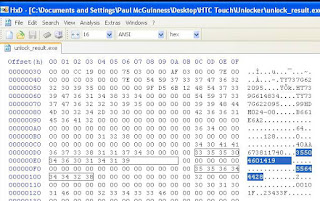
Besides IMEI is also needed when you do unlock your mobile phone or inject. IMEI is used to unlock regular converted in hex ​​form (I will not discuss further in this article).
imei list

Other functions of the most important is when you lose your phone, you should contact your network and let you use your IMEI number. They will be able to do the blocking so that HP can not be used at all even exchanged cards as a blocked number is a phone and not a cell phone call (Therefore, I hope you do not spread your IMEI to avoid people who are not responsible). But once you find your phone back, you can unblocking your phone (the phone you can use and get a signal after unblocking IMEI or change your IMEI, but you need to know to change IMEI if incorrect would cause damage especially to the baseband network and not all technicians could IMEI change besides changing the IMEI is illegal).

Connect With Wireless To Access SD card From Android Phone

Posted by ~ Erch ~ on Wednesday, February 27, 2013 | 01:17

Another awesome application for android device has emerged again. Now you can use an application to connect to your sd card to computer from a wireless connection or wifi. AirPlay network, UPnP/DLNA, Bluetooth: The wireless possibilities are endless. Four ideas on how you can use it.

Wireless access to the data of the SD card [root]

The computer to connect to the cell phone not always via USB cable, can be accessed with the app Samba file sharing with the computer via Wi-Fi directly to an SD card.

Instructions:

  • Install Samba file sharing app.
  • under menu > settings username and password set up and select a name under NetBIOS name for the appliance.
  • Save on Windows Explorer which enter address displayed and enter your username/password or just as a network drive.
  • under OSX Apple + K push and connect to server. Type: smb: / / "IP address as when Samba displayed" / media

connect sd card to computer via wireless

Rich media streaming on your home network
Would you play photos or videos from your mobile phone on the TV, you can share this app for a UPnP/DLNA-enabled playback device such as the PlayStation 3 or Apple's airplay.

Instructions:

  • Install the iMediashare Lite app on your phone.
  • App start and wait until it has connected to the network.
  • The multimedia device select the appropriate client and play multimedia data.


With the remote control the Windows Calculator

With apps like remote RDP, you can log in via Remote Desktop on his computer and work with it fully.

Instructions:

  • Computer for remote desktop support set up, including the router settings and the establishment of a service like DynDNS.
  • Install Remote RDP app, which set up corresponding address and then to access the computer.

remote desktop apps for android

Smartphone as a remote control

Many devices now offer control via Web interface or Wi-Fi and also bring a perfect app.

Four examples:

  • Using Foobar2000 controller app to control the music player. The decor is slightly more complex, but who uses Foobar2000, for which the app is a great help. So it is the Player automatically mute when a call comes in, and you can rate the tracks.

android phone as remote control


  • Gmote allows you to control various functions of the computer such as PowerPoint or video player. This must be a "Server" to be installed on the computer, and of course the Gmote app on the phone.
  • The Retune App allows you to remotely control iTunes on your desktop PC with the Android Smartphone. How to it, you can read here.

To download the app directly as apk file you can read on : download apk file from google play

LG Optimus G E973 Full Hardware and Software Review

Posted by ~ Erch ~ on Saturday, February 23, 2013 | 00:10

We will give Review all of the LG Optimus G full specification details, you can read our expereience about its hardware review and software detail.
All generations of Nexus one Smartphones have had many identical with minor differences in hardware components and design. This Optimus G generation does not make exceptions and LG Optimus G is the "brother" of Nexus 4, with the exact same hardware, different design and LG's customizations to Android. Which is why we refer to its review. Nonetheless, Optimus G is a smartphone with a distinct personality and an unparalleled class: elegant, fine, refined design and with a hardware Division that rivals.this perfect and more userfriendly

LG Optimus G Video Review


LG Optimus G Hardware Review

The first thing you notice about LG Optimus G is its design. The lines are unequivocally LG and the design is a refinement of the Optimus 2012 series, with particular reference to Optimus 4 x HD. The lines are clean and basic, with the silver outer frame which acts as a complement and contrast of the display and black bands above and below it. The lines are continuous and uninterrupted and give an elegant look to your smartphone. The word that perhaps best describes him is classyEnglish, which can be translated with "class". Even more so than the Prada Phone, in fact, this smartphone makes the elegance the strong point. At first glance it is inevitable the bewilderment, as well as one can not burst forth in a "wow!".

The materials are very similar to the Nexus 4, with front and back covered by Corning Gorilla Glass 2 that gives a good scratch resistance. The back has the same effect as gatteggiamento already seen on Nexus 4: depending on the angle of the light and angle, in fact, shows a different design. Unlike the Nexus 4 though, where there are several well recognizable patterns that draw recognizable figures on Optimus G we find a series of tiny squares side by side that simply changing degree of rotation.

The LG symbol on the front and back are silver and seem to float just above the floor with the squares.

The physical keys are 3: the power button on the right side and the volume rocker on the left side. Just below the latter we find the removable tray for the micro-SIM. At the top of the smartphone we find the entrance to the 3.5 mm jack, while the bottom is the micro-USB port. The latter can also be used to display content on larger screens such as TV, thanks to the standard MHL.
lg optimus g hardware and display review

The hardware is second to none: under the screen with True HD IPS Panel + by 4.7 inches there is a quad-core processor Qualcomm Snapdragon S4 Pro operating at a clock frequency of 1.5 GHz, with 2 GB of RAM, a 320 Adreno GPU and 32 GB of internal memory is not expandable. We also find Bluetooth WiFi IEEE 802.11 4.0, b/g/n, GPS, proximity sensor, accelerometer and gyroscope, brightness. Contrary to what is seen on Nexus 4, however, Optimus G can count on a 4 g LTE module Qualcomm from 100Mbps operating on 800/1800/2600 MHz. The whole thing is powered by a large battery 2100mAh which fully satisfies all your smartphone's energy needs.
The smartphone's weight is 146 grams, but do not feel because of the relatively large size of the phone. In this connection it must be said that Optimus despite G large 4.7-inch screen is slightly bigger than a Galaxy S II.
lg optimus g back camera

LG Optimus G Screen Display

Optimus G screen adopts a type IPS panel called "True HD IPS +" from LG. This means that in comparison with the previous generation, represented by panels used in Optimus 4 x HD, there is an improvement in brightness and other features. The most important one is certainly deleting a layer between the glass and the screen itself. As well as in Nexus 4, in fact, the screen shows images "on the water" by removing a layer between the actual display and glass.
The display is of excellent quality and is among the brightest on the market, which means that it can be used in bright sunlight without visibility problems. The definition is extremely high due to resolution of 1280 × 768 which ensures 320ppi. The resolution is equal to that of another top-of-the-line terminal, Nokia Lumia 920, and it is abnormal when compared to other top of the line with resolution 1280 × 720. The form factor is 16:10 in the case of 1280 × 768 resolution, 16: 9 is for 1280 × 720 resolution. This means that the display is of few millimetres wider and offers a better viewing of web pages.

Camera Test And Review
The sensor has a high resolution but it has great picture noise. The white balance is anything but optimal, and even in good light conditions appear bright little shots or faded; It is not rare to run into problems of overexposure and total distortion of high-light areas.
The image noise is so loud that you can see with the naked eye and without a strong magnification distortion. The boundaries appear washed out and not accurate, details like hair is lost and the images appear almost blurry. It is impossible to do zooming as the distortion becomes untenable.
In contrast, however, the performance in low light conditions are above average and allow you to take pictures with minimum brightness.
below is the picture taken from lg optimus G Camera
camera test on optimus g


Optimus G Battery Durability
The battery provides good performance and is able to adequately support your smartphone during the whole day. We do not, for obvious reasons, had a chance to test performance under 4 g LTE network usage, but under 3 g network performance is excellent and can pass without problems the entire day.
The battery is not removable because of the presence of back cover glass, on the other hand is equipped with 800 cycles technology which allows 800 complete cycles of charges and discharges, in contrast to the batteries currently in use on the vast majority of devices that allows "only" 500 cycles. This means, in practical terms that, if uploaded daily, normal batteries lose effectiveness after approximately a year and a half, while the new LG's batteries will last more than two years.
With a good calibration and a judicious use of resources, moreover, it is not difficult to envisage a charge longer than a day and a half. High battery capacity and the presence of a CPU with very low power consumption thanks to the production process to allow 28nm to curb consumption.
lg optimus g battery review


  • Software

The main and biggest difference between Optimus G and Nexus 4 lies in software: the second is Google who deals directly with updates, while the first is LG.
The unity that we had lacked a testing final software and was, indeed, a development with Android version 4.0.4. The smartphone was a koreana with some parts of the system in the native language, which gives an idea of the State of things. However the stability was total and we have never experienced a problem: neither crash nor lag or slowdown. This portends well compared to the final version that will arrive in Italy.

  • Interface

The Android User interface on Optimus g is customised by LG and is the Optimus UI 3.0. The change allows you to implement a number of improvements to the stock Android interface, which shows (in my opinion) of deterioration than previously. For example, using the Optimus UI you can press your finger on the home screen to add widgets and links and change the background. The screen of the app drawer is customizable and you can change the background, as well as choose the order of the elements.
The first element of difference compared to Android stock is the unlock screen, showing a bubble that pops up just touch the screen and that widens as they increasingly turn away from finger contact.
As Samsung Smart Stay, LG has introduced the ability to keep the screen on when you're watching. We tested this feature, and although it is not a final version of the software, we found that actually works.
The notification drop down has the top button with which you can enable or disable WiFi connections, Bluetooth, GPS, NFC and beyond; These buttons are changeable and reorderable as desired by the user. You can add and remove at will.
lg optimus g user interface
An interesting application that LG has integrated with the QuickMemo interface, already present on previous smartphone Optimus line 2012, can be activated by simultaneously pressing both volume buttons. QuickMemo is a convenient feature that allows you to take notes simply by writing on the screen with their fingers. Accuracy is good despite the natural uncertainty given by fingers, definitely not precise as a nib as the Galaxy Notes. The novelty is the presence of overlayfunction, which allows you to use your phone normally having just taken note superimposed. This feature is particularly useful when you, for example, must sign a phone number or an address (whether that web traffic).

  • Gaming

As is expected from a smartphone with a hardware of this caliber, the possibilities of the game are enormous. The presence of quad-core processor with the Adreno GPU brings 320 graphics performance to a new level and allows you to play all the latest titles without any effort. No doubt that getting the root permissions on the device and installing Chainfire 3D you can play games for NVIDIA Tegra 3 with an even higher framerate than that offered by the platform competitor home green.

  • Updates

Updates for this smartphone should not be a problem: because the hardware shared with Nexus, which will receive updates 4 much longer, LG should not find it difficult to release updates for this smartphone for a period as extended.
That lends itself to modding?
The same applies to the modding: ROM compatible with the Nexus 4 will be compatible even with the Optimus G, although there is the LTE module that could potentially give problems. In any case modding possibilities of this smartphone are almost endless.


Overall Review LG Optimus G

LG Optimus G is a top of the range in all directions: hardware, software, materials, attention to detail, design. LG has given the best of themselves and the results are amazing. The hardware commonality with Nexus 4, without prejudice to the LTE module activated, should make it much easier to update the company's Terminal koreana and, therefore, we may finally see the classic lack of new versions of Android on LG'S terminals.
Although released only in 2013 at a price that we imagine being among the 499 and 599 Euros, Optimus G appears already as telephone able to stay on top for a long time to come and how sitting in the Olympus of smartphones. At the moment the market is not a single smartphone can compete with Optimus G, excluding Nexus 4.
We strongly recommend this smartphone to anyone who has an eye for design, materials, construction and quality hardware in General.

Samsung Galaxy Express, Smartphone with Android 4.0 ICS Dual-Core and 4.5-inch Screen

Posted by ~ Erch ~ on Friday, November 9, 2012 | 19:47


Samsung is known to have a new weapon to target the entry level segment of smartphone users. Together with AT & T, Samsung recently announced the Galaxy Express.

As quoted via PhoneArena, Samsung Galaxy Express for AT & T network will carry the 4.5-inch screen Super AMOLED Plus, dual-core processor speed 1.5 GHz, 5 megapixel camera with flash, and equipped with a battery capacity of 2,000 mAh.


Samsung Galaxy Express will run Android 4.0 Ice Cream Sandwich, and support for 4G LTE networks.

The plan this smartphone will be launched on 16 November in the United States. With a two-year bond for AT & T, consumers in the United Statesmay redeem Galaxy Express to spend just $ 99.99 only.

Google Ready to Reveal Android 4.2, Mobile Nexus Tablet Nexus 4 and 10

Posted by ~ Erch ~ on Wednesday, October 24, 2012 | 22:09


Google currently insist on Android Nexus tablet device to steal the attention in the mobile device market. As is known, the Giant Company of search engine is currently preparing an upgrade of the Android operating system to the latest version, the Android OS 4.2. The plan will be officially rolled at the event, held on October 29, 2012 in New York later.

Reportedly, the new OS name Key Lime Pie will eventually become Android 4.2 +. According to the person in Google, the OS is the latest version of the Jelly Bean.

Coinciding with the launch of Android 4.2, Google was reported to be introducing the first device that will run Android 4.2. Includes high-end tablets made ​​by Samsung, Nexus 10 and Nexus phone made ​​by LG Electronics 4. As well, the latest version of the tablet Nexus 7.

For information, the Nexus tablet will have a screen resolution of 10 is much greater than the new iPad tablet, New iPad. And, in terms of price is likely to be competing against tablet competitors like the Galaxy tab2 10.1 and Galaxy Note 10.1.

Then the Nexus 4, which appears to be a modified version of the phone LG Optimus G. This smartphone will use a Qualcomm Snapdragon Quad-Core processor, 2GB RAM, 1280x768 pixel display, 16GB of internal memory and 8 MP camera. But, the difference with the Optimus G, phone Nexus 4 will not include with LTE technology.

Meanwhile, for the latest version of the Nexus tablet 7 seems to be the 32GB version. And, perhaps including its 3G version, as quoted via TheNextWeb.

Motorola Mobility Launches Motoluxe XT685 in China

Posted by ~ Erch ~ on Friday, July 27, 2012 | 01:48


Motorola Mobility via press release (26/07) unveiled its latest smartphone Motoluxe labeled XT685 in China. With a body that is only 9.8mm thin, the Android-powered mobile 4.0 Ice Cream Sandwich is very fit to carry. One of the advantages of this asymmetric cell phones that support the ability of dual-mode dual-standby (GSM + WCDMA).

Motorola XT685 has a fairly neat features like a rear 8MP camera with LED flash plus VGA front camera (0.3 MP), a 1GHz CPU is able to access the interface is responsive and able to open applications quickly. 4-inch screen (854x480 pixels), 512MB RAM and 1GB of internal memory has had as well. Within this Motoluxe applications already preinstalled such as Sina Weibo, Sohu and several others.

Motoluxe XT685 reportedly already available in the Chinese market, with a choice of white and brown. The price tag of around USD300. Unfortunately, until now the Motorola still has not revealed whether there are plans to market it outside of China.

Huawei MediaPad 7 Lite Officially Introduced

Posted by ~ Erch ~ on Thursday, July 26, 2012 | 04:49


Previously known Huawei is preparing the launch of MediaPad 10 FHD. But now the company is headquartered in Shenzhen, Guangdong, China was seen speeding in the tablet market, by introducing a new tablet is officially titled MediaPad 7 Lite.

The new tablet will come with a 7 inch screen (1280 x 800 pixels), as MediaPad which was introduced last year. Indeed, the previous version was originally packed MediaPad Android OS 3.2 Honeycomb, which then has provided an upgrade to the Ice Cream Sandwich (Android v4.0).


Well, for MediaPad 7 Lite will immediately adopt the Android OS 4.0 Ice Cream Sandwich. Also, it offers 3G mobile feature, voice (telephone), SMS, MMS, WiFi and video playback 1080p (full HD). Fun again, from the design side of the tablet is already implementing the concept of metal unibody, which makes it solid and sturdy.

Indeed, from the detailed specification can not be informed of all, including support behind the camera, the resolution is not yet known. Also, until now, even the Huawei is still keeping the release schedule this MediaPad 7 Lite. We'll wait.

Sony Xperia GX Already Passed FCC, Will Soon Glide to the Market


According to reports from talk.sonymobile.com, Sony Xperia GX international version is likely rolled this year. It also said that the leaked image Sony LT29i also known as the Hayabusa, have a resemblance with the Xperia GX. As a result, this smartphone also has the potential to slide into the market in the near future. And again, Sony LT29i known to have passed the Federal Communications Commission (FCC) in the United States.

Indeed, earlier in May 2012, Sony Mobile Japan has announced two new phones for the Japanese market, namely the Xperia GX and Xperia SX. In fact, they also released a new ad to promote both the mobile phone. Sony Xperia GX mentioned has HD resolution screen measuring 4.6 inches, and 13 MP camera capable of recording full HD video.

Here are the main features of the Sony Xperia GX:

4.6 inch reality screen, backed by the Mobile BRAVIA Engine for clearer and sharper.
1.5GHz dual-core processor for faster performance.
16GB of internal flash storage.
13MP camera with Sony Exmor R for mobile, HD video recording, and Sony technology to take 3D panoramic images.
Available in white and black.

ZTE N880E, First Android Jelly Bean 4.1 Smartphone in China

Posted by ~ Erch ~ on Wednesday, July 25, 2012 | 00:30


ZTE Corporation (ZTE) launched the ZTE N880E, which is a first Android Jelly Bean 4.1 handset in China. And, listed as the third Android Jelly Bean smartphone in the world. Jelly Bean used is Google Experience version.

More information about ZTE N880E, the phone has a 4.0 inch capacitive touchscreen WVGA resolution (480x800 pixels). Embedded processor chipset which is a 1GHz Qualcomm 7627A. Internal memory is provided which is 4GB, which seems large enough to accommodate a variety of multimedia files. Provided the microSD card slot.

Despite his advanced OS, but it camera features fairly standard. The camera has only 3.2 MP, supported with autofocus capabilities. There's just one thing of interest here, namely the design of the body, which appeared slim with a thickness of only 10.4 mm.

For information, ZTE N880E previously been rolled on the market in May, with an encouraging level of sales, which claimed to have sold more than one million units. At that time, the operating system is still wearing the Android 2.3 Gingerbread.

Now, ZTE N880E has been upgraded to Android OS version 4.1 Jelly Bean. The result is improved performance and better responsiveness. Also, the update notification features are supported plus Google Now.

ZTE N880E Specifications

Dimensions: 119mm x 61mm x 10.4mm
Weight: 130 grams
Screen: TFT capacitive touchscreen, 4.0-inch, WVGA (480 x 800 pixels)
Battery: Li-ion 1650mAh
Network: CDMA2000 1x, EVDO Rev.A, 800MHz
Android OS 4.1.1 Jelly Bean
Qualcomm 7627A chipset, 1GHz
Memory: 512MB 4GB
Extended memory: MicroSD (up to 32GB)
3.2 MP autofocus camera
Bluetooth 2.1, A2DP, AVRCP
WLAN 802.11 b / g / n
GPS (A-GPS), GMS, FM radio

Nexus 7 Now It Can be installed Instagram

Posted by ~ Erch ~ on Friday, July 20, 2012 | 22:01


Previously Nexus 7 tablet users complained that the devices can not install applications to share photos, Instagram. There is always a notification that the device does not support. But now the Nexus 7 tablet users do not have to wait long, since Instagram has released an update, which has added support for Google's tablet.

Indeed, one might wonder why anyone would need Instagram in tablet that does not have a rear camera like Google Nexus 7. Yes, at least this allows users to view photos uploaded by others, in a stretch of its 720p IPS screen. And, later users can take pictures with the camera front, and then uploaded to Instagram, if wanted.

In addition to adding support for the Nexus 7, Instagram latest update also adds the option for sharing photos on Flickr. Only, here still do not have the option to send pictures via email, such as those encountered in the version of IOS.

As usual, this updated version Instagram application can be downloaded for free at Google Play, here.

This is the Apple Patents Which Can Make Android Partner Concerned

Posted by ~ Erch ~ on Thursday, July 19, 2012 | 23:59


Through the new patent, Apple seems to be making the Android device manufacturers concerned. Of the 25 patents that Apple has just granted by the United States Patent and Trademark Office, there is a patent that seems very likely to be used as a weapon for the Apple to attack the Android device vendor.

Patent number 8.223.134, which is called by the source at the site Phandroid as the "mother of all smartphone software patent" that covers various aspects of touch-based user interface, including the document view, camera roll, messaging, and email on mobile devices.

Bad news for Android and its hardware partners is when viewed from its scope, the patent will likely be the weapon that could have been used by Apple to attack Android device makers.

As known, before the presence of the iPhone, a lot of smartphones that use the physical keypad and buttons to control various actions, and it does not depend on a sophisticated touch-based interface.

Well, since the presence of the iPhone in 2007, many vendors who follow the lead of Apple's smartphone, by working on a smartphone with a user interface that uses a design similar to what is described in the patents that Apple has just granted it.

What Apple has done with his patent, and what the reaction from the Android device vendor if one day the patent is used to attack him., We wait for its development.

Galaxy Beam - New Samsung Smartphone with Projector Feature

Posted by ~ Erch ~ on Tuesday, July 17, 2012 | 21:53


Samsung re-adding to the Galaxy series smartphones (Android smartphones). This time the new members is Galaxy Beam. As the name implies, this smartphone can also function as a projector. Capable of displaying or projecting on-screen display to a wall or screen presentation. So just bring the smartphone to make a presentation.

Not only that, the features of this projector, it is also possible to enjoy photos or videos stored with a broader view. The size of the projected image can be raised by the Galaxy Beam which reaches 50 inches for a distance of 2 meters from the wall / screen presentations.

Galaxy Beam was also able to function as an Over Head Projector (OHP). Which display the image captured by a camera of this smartphone, can be directly projected onto the wall / screen. Features on the Samsung Galaxy Beam projector is also equipped with Mode Ambience, function to display a photo slideshow with music. And can set how long the duration of the projections before stopping automatically.

Galaxy Beam segment is inserted into the high end smartphone. Because it supplied a variety of upscale features, such as 1 GHz dual core processor, HSPA suport internet access (up to 14.4 Mbps), 5 MP camera, secondary camera 1.3 MP camera, WiFi, etc..

LZRTAG - Make Graffiti On Your Smartphone

Posted by ~ Erch ~ on Sunday, July 15, 2012 | 21:52


Graffiti is one of the most popular street art, now there is an Android application that can provide space for the audience and artists without polluting the city walls. LZRTAG application is a modification of the 3D barcode identifier. The artist makes an image or animation, upload it to the site, and then get the tag markers to be placed on the surface of the real world. Tag markers are similar to those used to store photos in the album. When properly installed, they can bring up the image on the smartphone.

LZRTAG is a simple augmented reality system. It allows you to apply a 2D virtual image to any physical surface using a pair of “tags”. These tags can be read by a smartphone and will display a virtual image over the background surface.

LZRTAG proposed use of more than graffiti. Media and advertisers can use augmented reality to provide an interactive element to the print media, billboards, and even computer screens and even provide a few simple video or images. Advertisers can run animated image of a company or product logo.

Interested in this application? You can get it via Google Play. Let's have a look at the video below to get a look of sophistication.


Sony Xperia go Open Pre-order in India, Start Sale in UK

Posted by ~ Erch ~ on Saturday, July 14, 2012 | 12:00


In last May Sony Xperia go has been officially released, along with the Xperia Acro S. And, today announced that the Xperia go already opened its pre-orders for the Indian market. The price offered via Flipkart ie 18,999 Rupees, or about USD310. From the available data, this smartphone will start rolling in Indiain the third week of July.

In contrast to India, for the UKmarket even Xperia go already sold. In this Queen Elizabeth country Sony Xperia go sold through operator O2. For the price of cash, the official label it is not much different from the rates in India, which is 230 pounds or USD310.

Sony Xperia go is a waterproof and dust smartphone with Android OS 2.3 Gingerbread. The Sony Mobile officially inform the ICS will present updates to this smartphone, just do not know exact schedule.

Sony Xperia go up with a 5MP camera, 1GHz dual-core processor, 8GB of internal memory, 3.5 inch display with Mobile BRAVIA Engine. Also, will be buried as well as application preinstal Music Unlimited and Unlimited Video of Sony Entertainment Network.

Philips W732 Smartphone With High Capacity Battery


Android Smartphone Philips is not as famous as the name of Samsung, LG, or HTC. But Philips has a pretty loyal customer to their brand. Leading electronics companies that now deliver W732 Droidhuge that rely on the battery capacity of 2,400 mAh. The battery can provide 13 hours of continuous talk time or 10.5 hours of web browsing with a single refill.

Although it has a battery with extra storage capacity, does not mean he has an extra large body. Its size is 126.37 x 67.44 x 12.3 mm, while still comfortable in the hand. But of course there is no impact on the weight of the batteries that range in 166 grams. Philips also has a dual SIM slots that support hot-swap.

Using a 4.3-inch screen with IPS LCD display 480 x 800 pixels resolution, W732 Philips running the Android operating system 4.0 Ice Cream Sandwich with 1 GHz single core processor MediaTek MT6575 and has 1GB of RAM. Smartphone with 5MP camera on the back and WiFi, Bluetooth and GPS onboard.

Philips W732 will make its inaugural debut in China and Russia in the coming weeks and will be available in five colors - black, white, pink, blue and green. Price and availability around the world plan has not been announced.

BlackBerry Sales Down, Android and iOS Increasingly Dominate in the U.S.

Posted by ~ Erch ~ on Friday, July 13, 2012 | 22:21


Penetration of smartphone growth seems to continue to increase. Based on the results of a study issued by Nielsen, in June 2012 noted that 54.9% of mobile phone users in the United States is the owner of the smartphone.

In a report published on its official blog, Nielsen judged that growth was driven by an increase in the purchase of a smartphone. Where 2 of 3 Americans who buy mobile phones in the last three months instead of choosing a smartphone and feature phone.

A more detailed report mentioned that the Android operating system continues to lead the smartphone market in the U.S.. Recorded 51.8% of owners use the Android-based smartphone.

Apple's iPhone came in second in which more than one third (34.3%) of smartphone owners use the phone with the iOS operating system. The BlackBerry represents approximately 8.1% of the smartphone market.

In the last three months, based on the findings of Nielsen recorded 54.6% of new smartphone buyers choose the Android'followed by the IOS to 36.3%. While BlackBerry devices continue to decline with the market share accounted for only 4% of all purchases of new smartphones.

New HTC device with 1080p display and Adreno 320 GPU confirmed by the benchmark


In the last hours of the alleged indiscretions on the new HTC output devices have proliferated at a rapid pace. To complete the picture of the three new devices of which we have heard in recent hours, contributes to a new device, also revealed by the benchmark GLBenchmark. The information can be derived from the benchmark refer to a terminal characterized by a display with 1080p and the SoC Qualcomm system that integrates the new GPU Adreno 320 . The telephone operator that could initiate the distribution of the terminal is Verizon, while the model name is  HTC6435.


The data confirmed unequivocally by the benchmark refer to the presence of:
  • MSM8960 CPU, 1.5 GHz
  • Adreno 320 GPU
  • Display with a resolution of 1794 x 1080 pixels
  • Android 4.0.4

The MSM8960 CPU is the same integrated current HTC One S, but the hardware platform of the new smartphone would differ from that of HTC One S by integrating the new Adreno 320 GPU.
The hypothesis that in the past few hours have been made ​​about the exact nature of this device have been varied: new tablet, super smartphone or expected HTC 'phablet "already become the subject of rumors in recent months .
Waiting to know some more details about it, we can only welcome the new "wave" of rumor and speculation about the new device of the Taiwan based company, who apparently is preparing to renew the library to meet the challenging second half of this year. We recall briefly the alleged new device, which currently include:
  • HTC Proto. Average low-end smartphone
  • HTC Vertex Tegra 3 tablet
  • HTC PM63100 1.7 GH z  Tegra 3 smartphone

Identified, New Android Malware on Google Play

Posted by ~ Erch ~ on Thursday, July 12, 2012 | 20:15


The threat of malware seems to continue to lurk Android device users. Recently the leading vendor of security software, Symantec claiming that it had identified a new malware that has been posted on the market application Google Play.

There are two popular titles that allegedly have been infected with malware, the Super Mario Bros. 3 and GTA Moscow City.

In his official site, Symantec said that the two applications that have been posted to Google Play on June 24. Since then both claimed the application has been downloaded about 50,000 to 100,000 times before it was identified.

"What is most interesting about this Trojan is the fact that the threat was managed to settle in Google Play for a long time, until the number of serious download before it was discovered," said Irfan Asrar quoted as saying by the official site via Symantec.

"Our suspicion is that this is likely to be loaded remotely carried out by this Trojan," he continued.

According to Irfan, the technique had actually been discussed since last year, in which a malicious application makers will split into a separate.

In this case the malware (Android.Dropdialer) masquerading as popular games such as Super Mario Brow Moscow Cityand GTA 3. Once installed into the device, the application will send an additional package to make it more difficult to be detected. Additional packages are said to have been posted on Dropbox and is known as 'Activator.apk'.

Fortunately, after receiving notification from the 'Symantec' related to the present invention, the Android Security immediately remove the threat.
 
Support : Creating Website | Johny Template | Mas Template
Copyright © 2011. King Smartphones - All Rights Reserved
Template Created by Creating Website Published by Mas Template
Proudly powered by Blogger